The full guide
Everything 911PetFind does, step by step.
Two short walkthroughs with real screenshots — one for pet owners, one for the neighbours who spot a lost pet. If you only read one thing: registering your pet takes two minutes, and it's worth it the day you need it.
For pet owners
Register once while everything's calm. If your pet ever goes missing, you're one click from getting their face in front of every neighbour nearby.
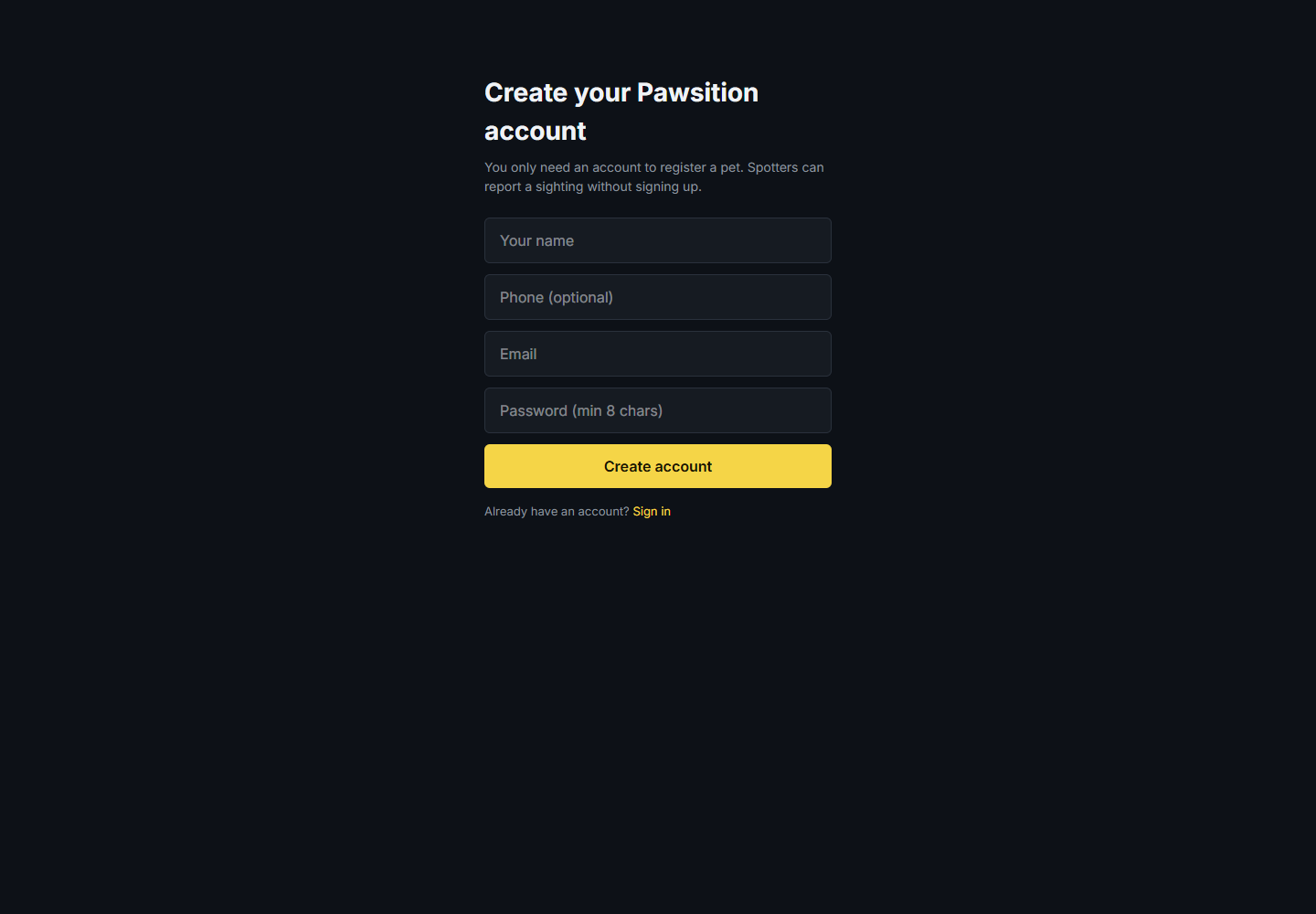
Create your account
You only need an account to register a pet — spotters never do. Sign up with your name, email, and a password. Add a phone number if you'd like spotters to be able to reach you that way too. You land straight on your dashboard.
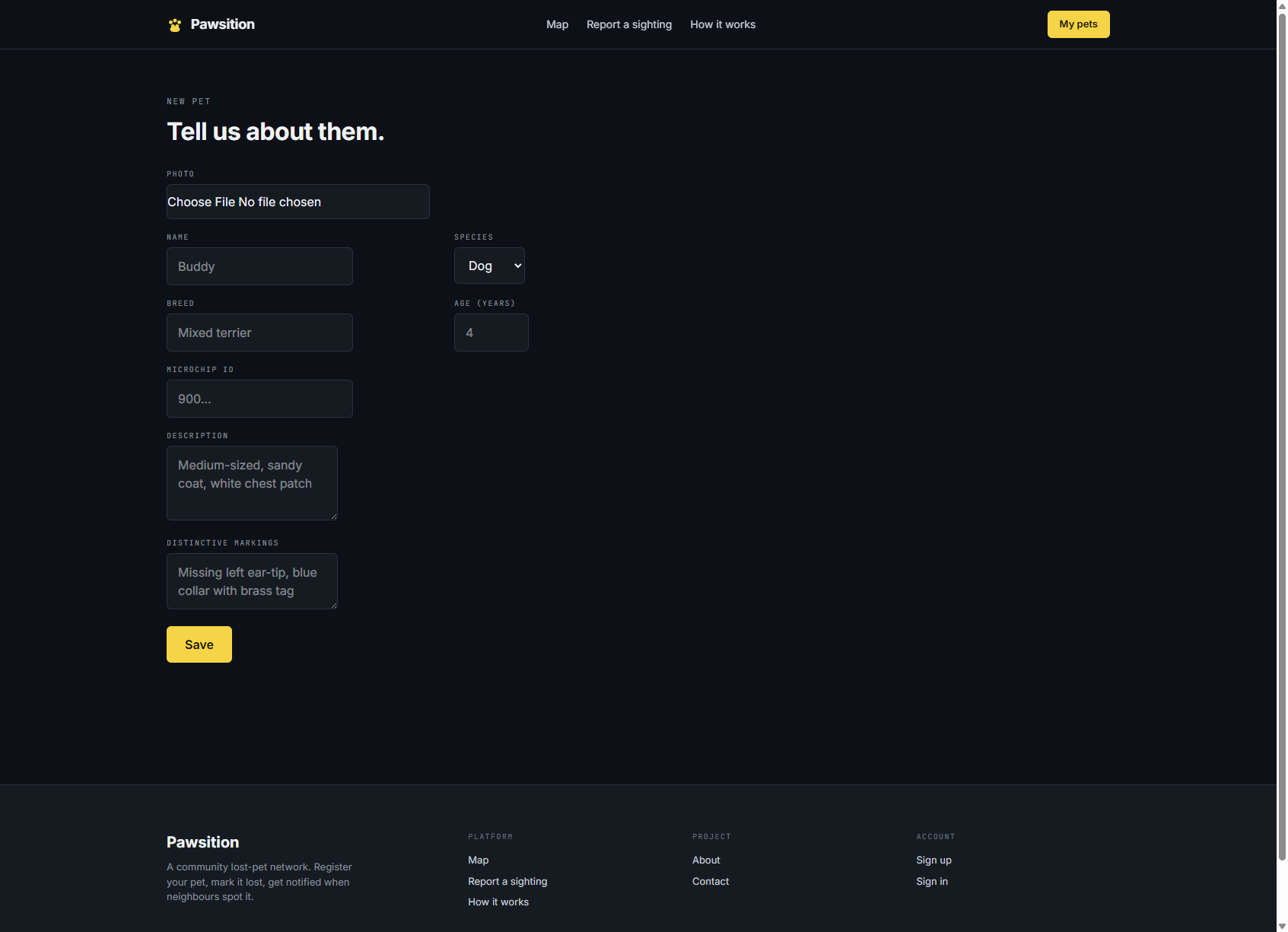
Register your pet
From your dashboard, hit 'Add a pet'. Upload a clear, face-on photo, then fill in the name, species, breed, age, microchip ID, and — most importantly — distinctive markings (a scar, a collar, a missing ear-tip). This is the profile that lights up on the map if they ever go missing, so the more detail the better.
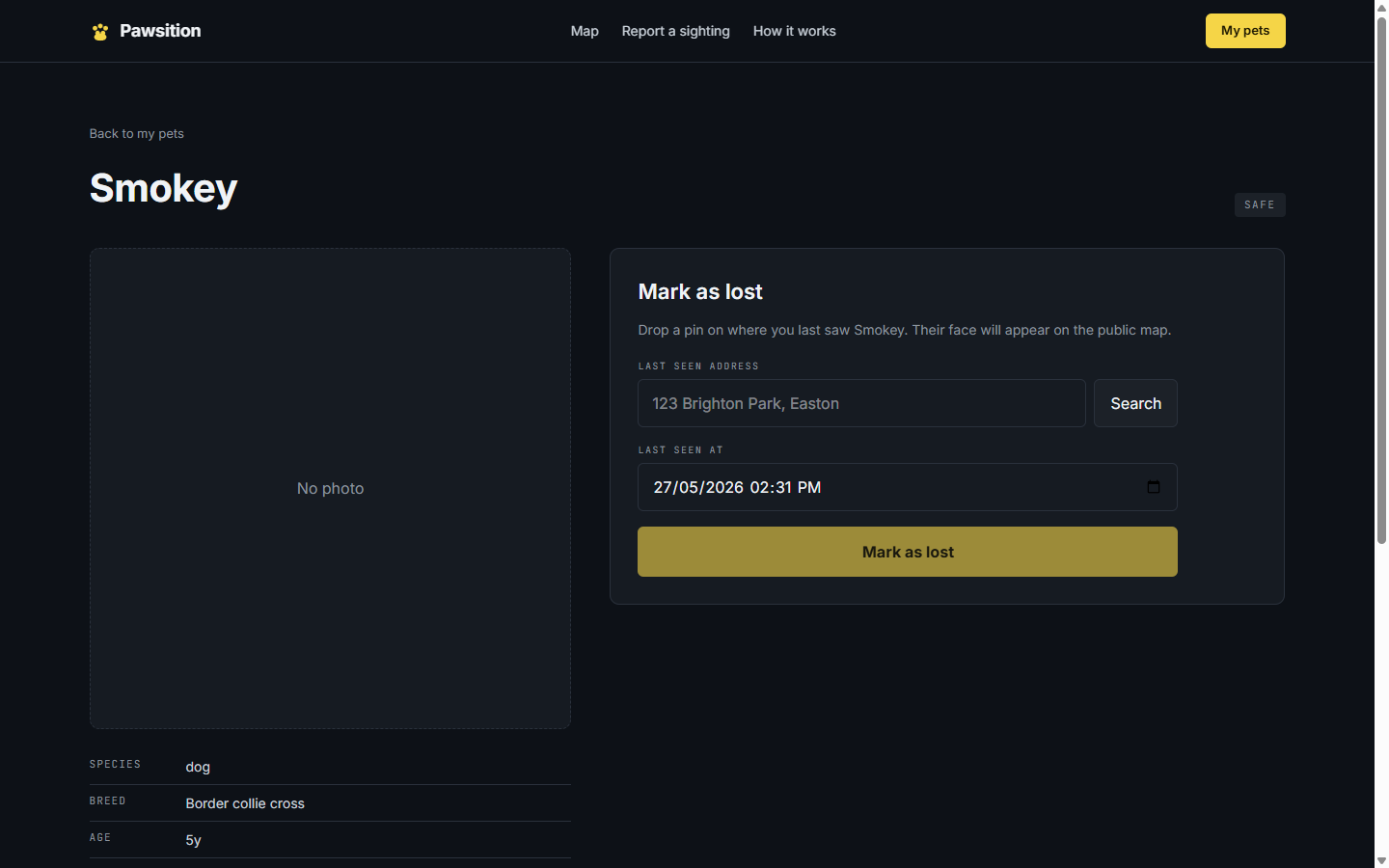
If they go missing — mark them lost
Open the pet, click 'Mark as lost', and type the address where you last saw them. We geocode it to a precise UK address (powered by OpenStreetMap) — pick the right match from the list. Set the time you last saw them and confirm. That's it.
Your pet is now on the public map
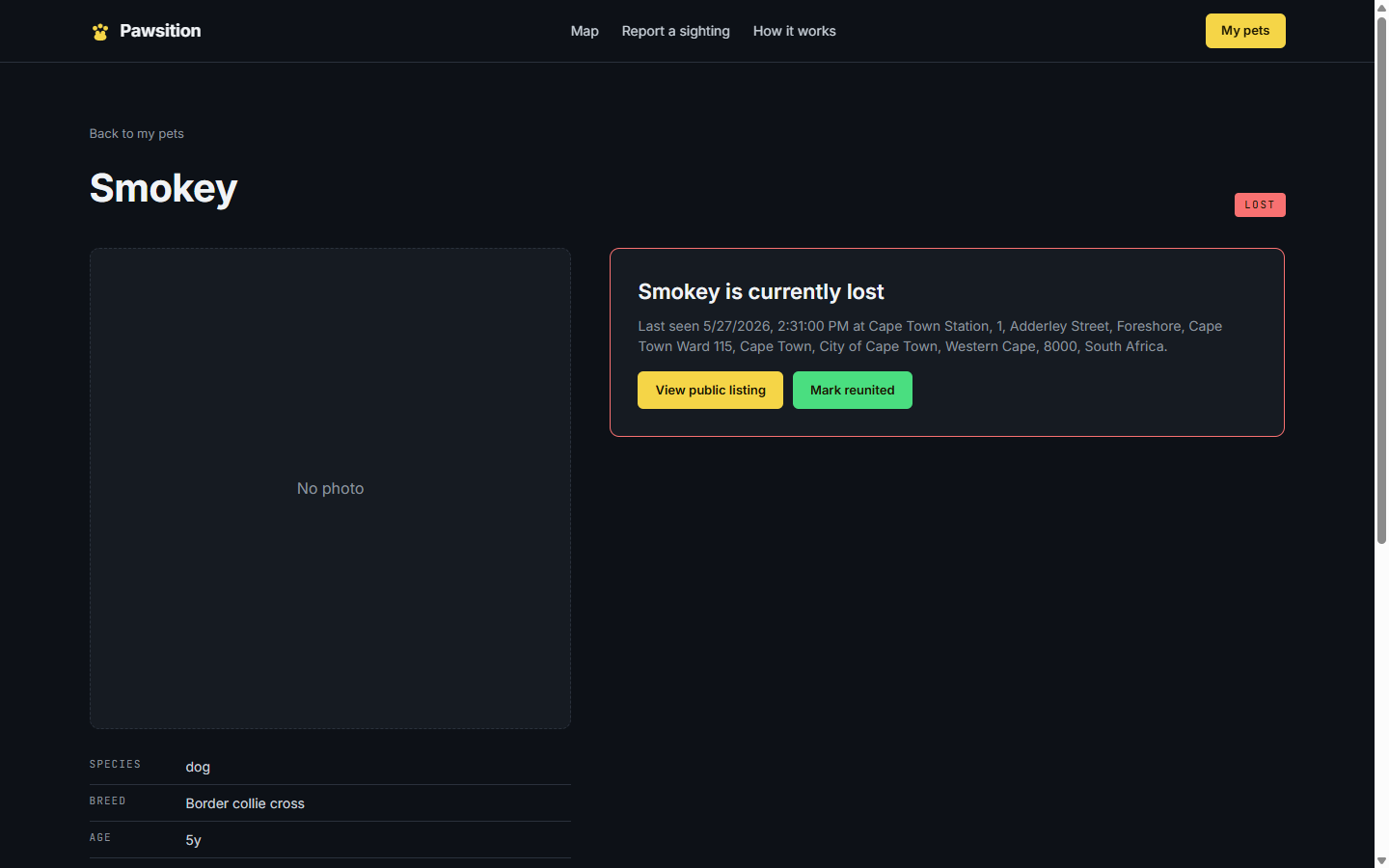
The status flips to LOST (red), and your pet's face appears on the public map for anyone in the area. You get a shareable link (/lost/your-pet) that you can post on Facebook groups or print as a poster. Two buttons let you jump to the public listing or, when the time comes, mark them reunited.
Get notified the moment someone spots them
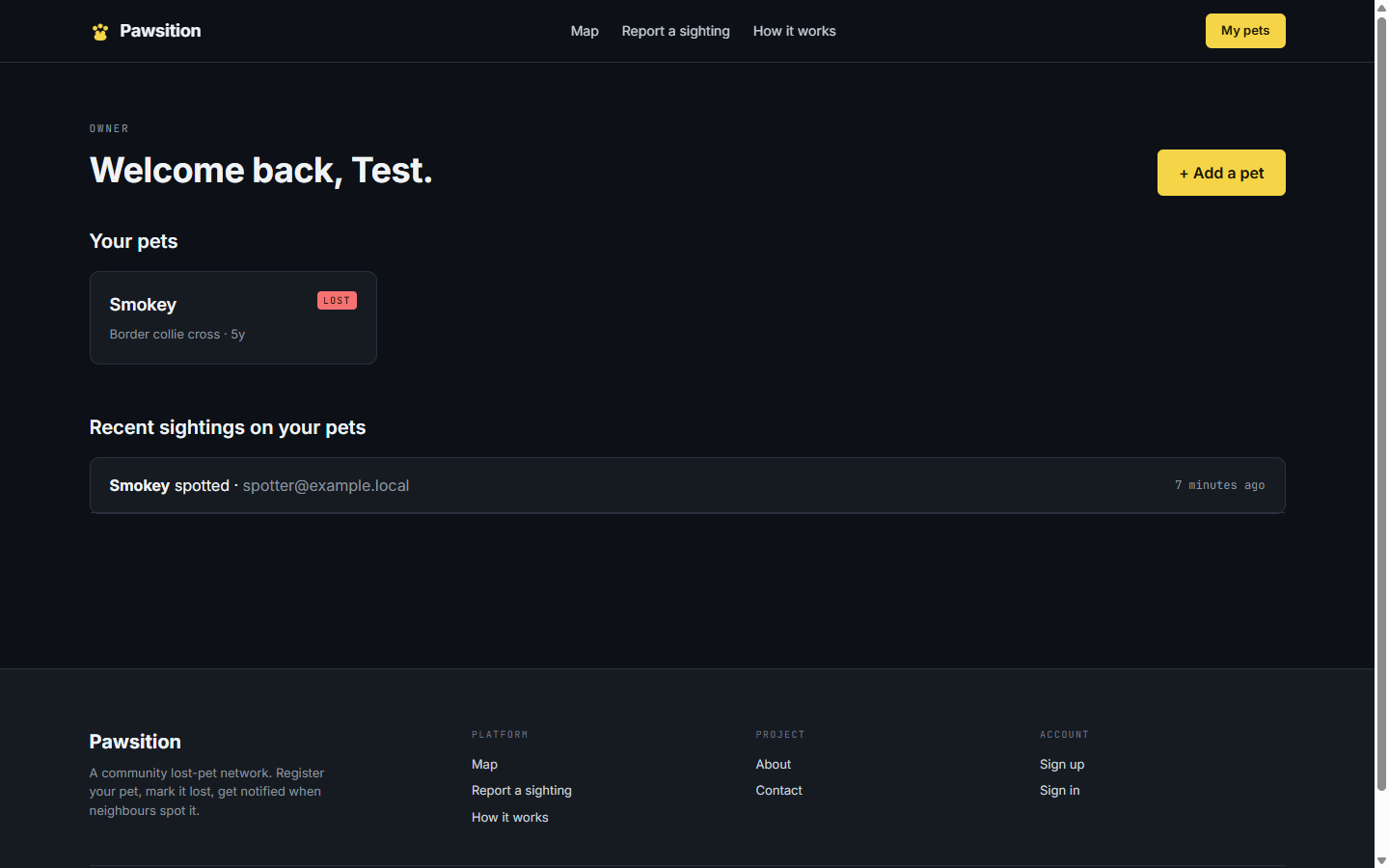
When a spotter reports a sighting, you get an email within seconds — with their photo, the location, the time, and their contact details. Every sighting also lands on your dashboard under 'Recent sightings on your pets'.
Review the sighting, then reunite
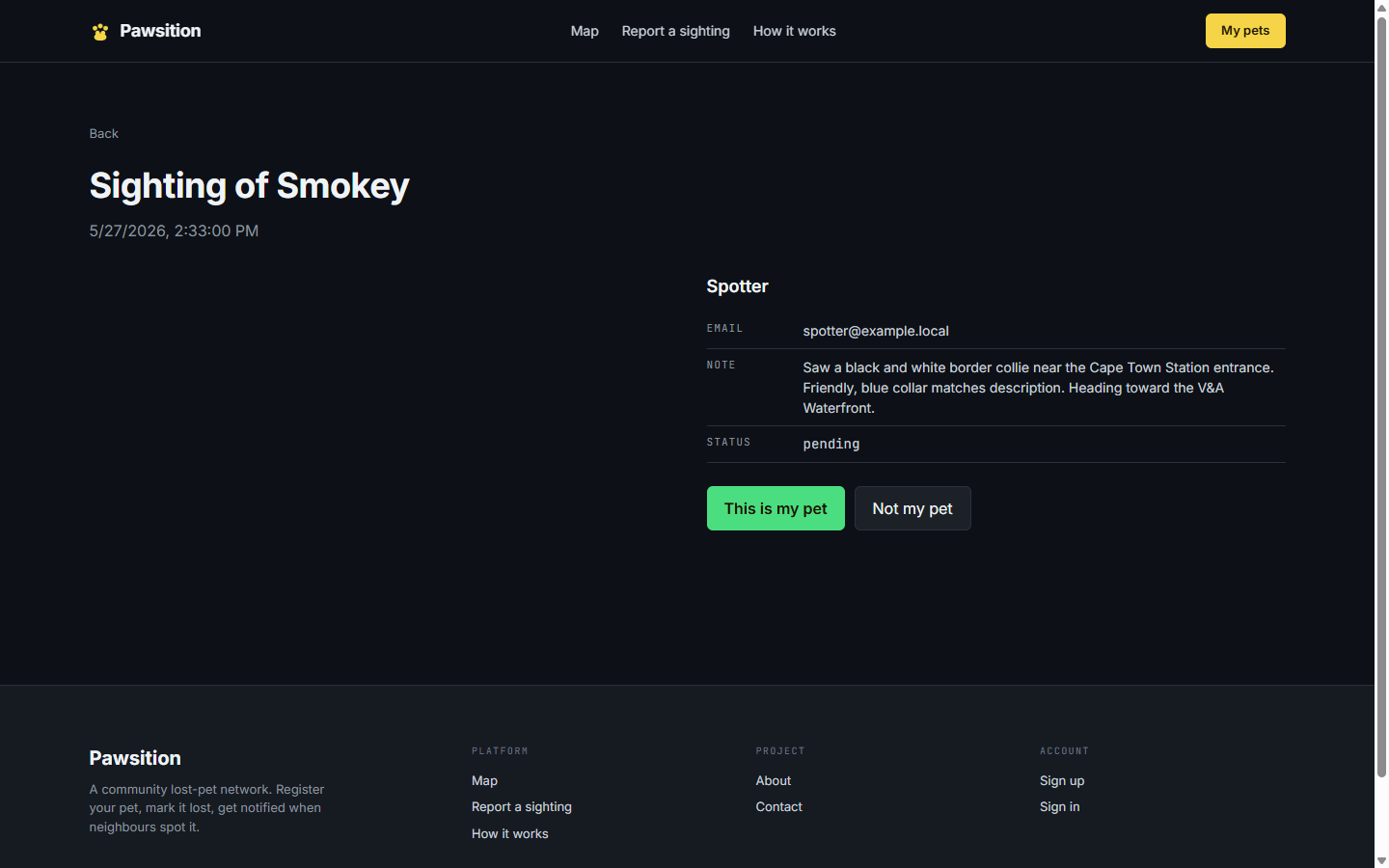
Open the sighting to see the spotter's photo, note, and contact info. Confirm 'This is my pet' or dismiss 'Not my pet'. Reach out to the spotter directly to coordinate. Once your pet is home safe, mark them reunited — they drop off the public map and their profile stays in your account for next time.
For spotters
Saw a dog wandering? You don't need an account. Find them on the map and report it in under a minute — the owner hears instantly.
Open the map
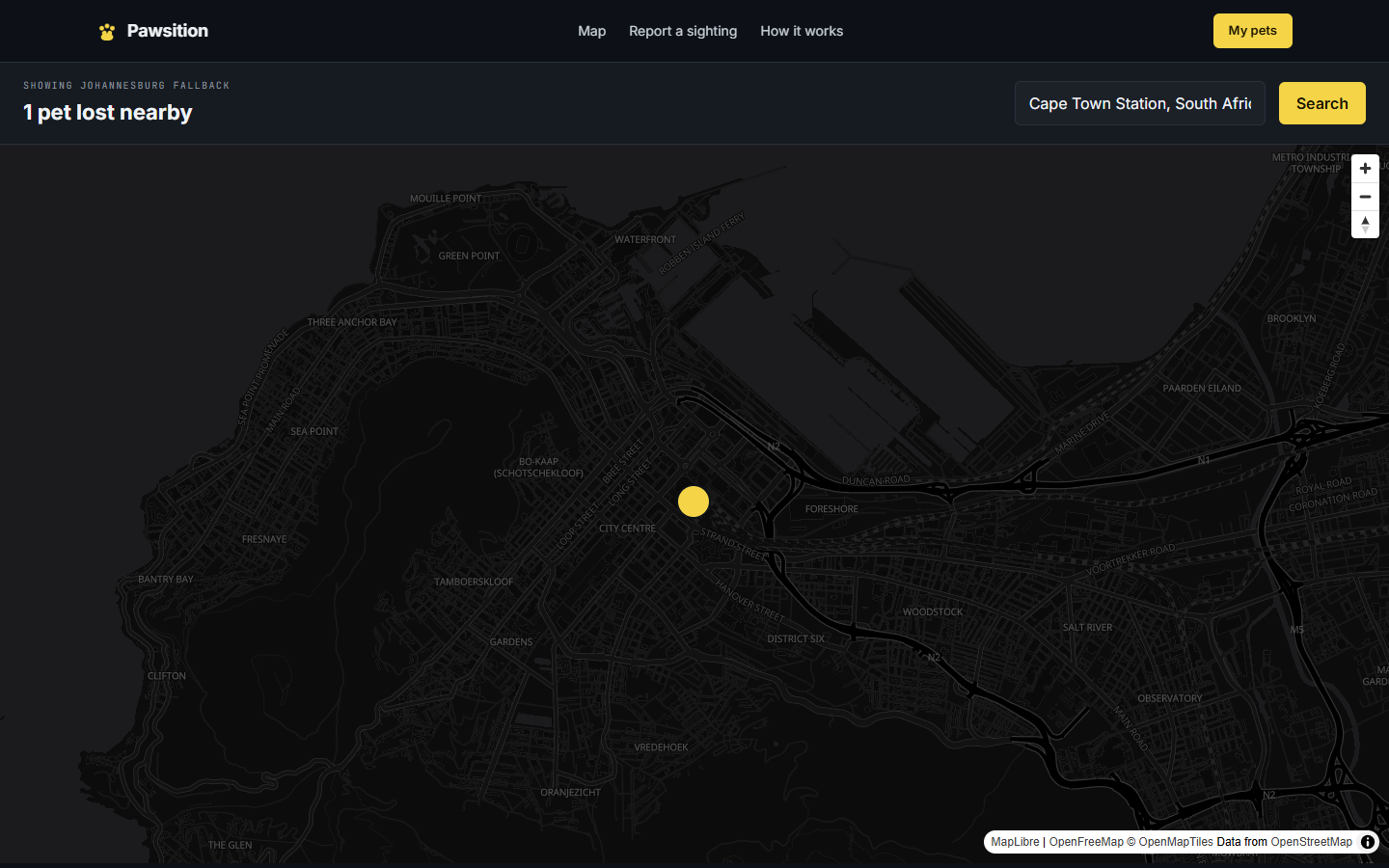
No account needed. The map shows pets lost near you — allow location access, or search any town or postcode. Each gold pin is a lost pet; the pin shows their photo. Tap one to see the full listing.
Read the listing
The lost-pet page shows the photo, when and where they were last seen, a description, and any distinctive markings — so you can be sure it's the right dog before you report. This same page is what an owner shares as a link or prints as a poster.

Report what you saw — in 20 seconds
Scroll to 'Did you see [pet]?' and fill the short form: an optional photo, when you saw them, your email or phone, and a note about where they were headed. Submit. That's all.
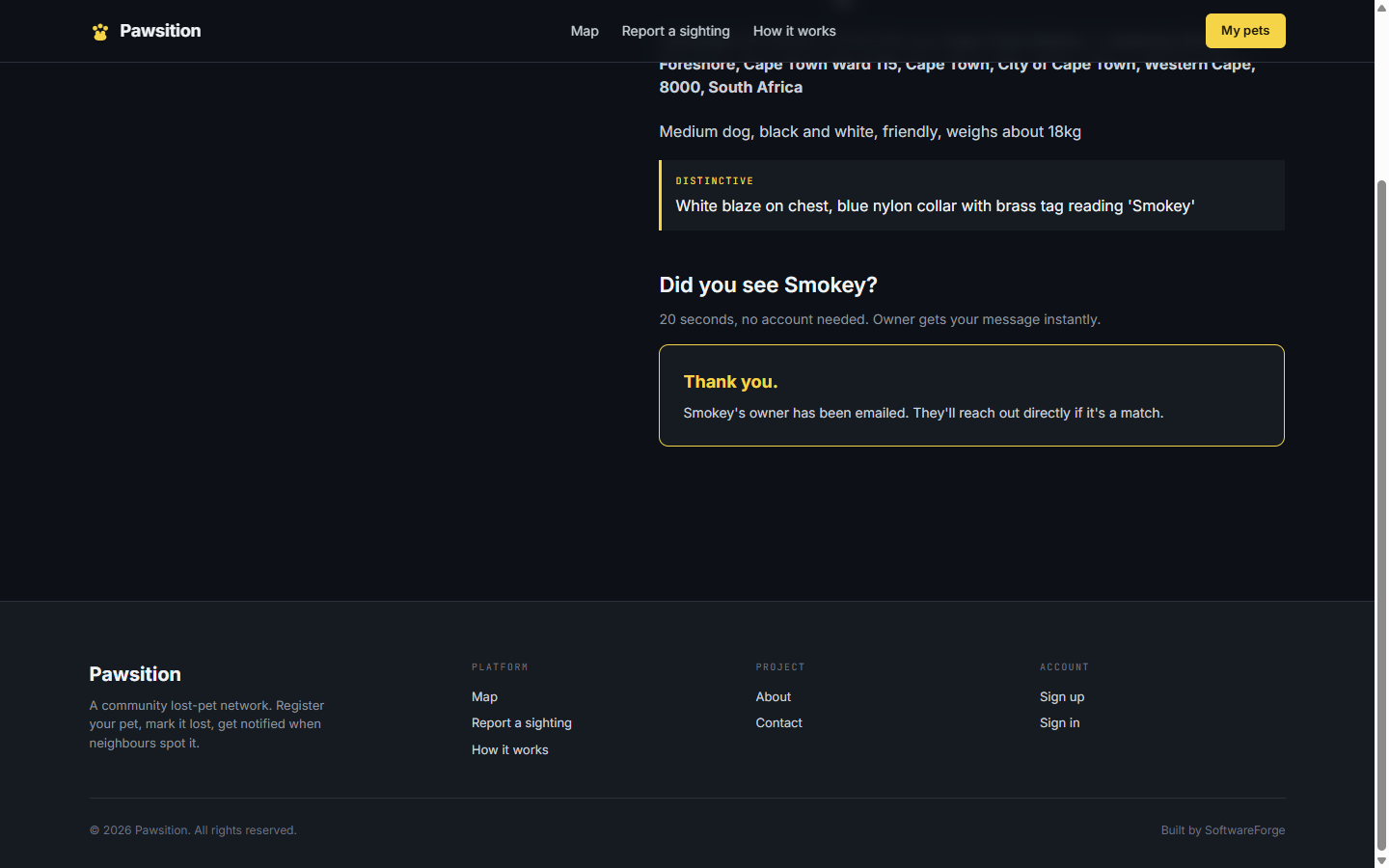
The owner hears instantly
You get a thank-you, and the owner is emailed your report immediately. They reach out to you directly if it's a match. No account, no spam, no middleman — just a neighbour helping a neighbour get their pet home.